Share an Answer to a Private Chat: What the Other Person Sees
How sharing an answer to a Qerios direct message works, what happens with anonymous and private-account answers, and etiquette for sharing other people's answers.
Sometimes an answer is too good to leave on the profile, and you want to send it straight to a friend. Qerios lets you share an answer into a private chat so the other person can open it, read it and reply. This article explains what that does and where the privacy rules still apply.
How to share
Open the answer, choose the share option and pick the conversation you want. The answer arrives in the chat as a card that links back to the full answer. The other person can open the original, read the thread and continue the conversation in your chat. Sharing sends a pointer to the answer; it does not copy the content out of Qerios in a way that bypasses the answer's own settings.
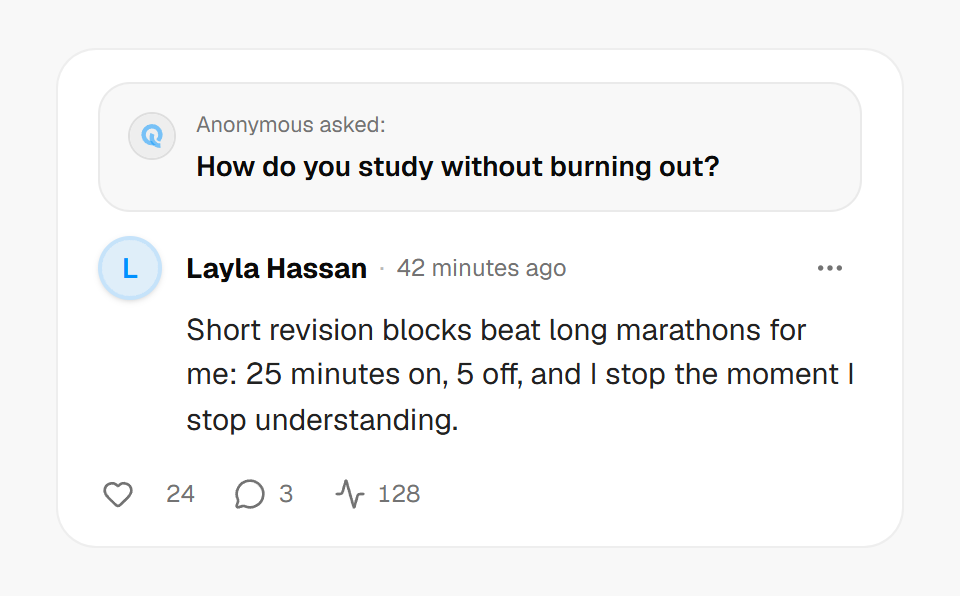 An answer card: the anonymous question stays anonymous wherever the answer is shared.
What the recipient can and cannot see
The recipient sees only what they are already allowed to see:
- Anonymous answers or replies: the author stays hidden. A shared card does not reveal who wrote an anonymous reply, even to the person you shared it with.
- Private accounts: if the answer belongs to a private account and the recipient is not an approved follower, the card appears as locked rather than showing the content. Sharing cannot be used to get around someone's privacy choice.
- Deleted answers: a card for something that has since been deleted shows as unavailable instead of crashing the chat or showing old text.
This is deliberate. A share should never turn into a leak, so the card respects the same visibility as the answer itself.
Etiquette for sharing other people's answers
An answer is public to whoever can see it, but being allowed to see it does not mean the author expects it to be forwarded. Before sharing, ask yourself:
- Would the author be fine with this specific person reading it?
- Is the answer personal, about someone else, or sensitive?
- Am I sharing it to start a good conversation, or to mock the author?
If the answer is about your own question, sharing it is straightforward. If it belongs to someone else and could embarrass them, skip the share. The same respect underlies screenshots and consent.
Sharing outside Qerios
If you want to post an answer to a story or another app, use the story image option or copy the answer link. The image option generates a picture of the question and answer with a QR code that points back to Qerios. See how to grow your profile on Qerios for tips on using shared answers to attract good questions.
The short version
- Share sends a card that opens the original answer in the chat.
- Anonymous authors stay hidden and private-account answers stay locked for people without access.
- Deleted answers show as unavailable.
- Share thoughtfully; being able to see something is not permission to forward it.