Turn an Answer into a Story Image with a QR Code
How to turn a Qerios question and answer into a Story-ready image with a QR code, what makes a good one, and what to check before you post it.
Some answers deserve more than a link. Qerios can turn a question and its answer into a clean, Story-ready image with a QR code, so people who see it on Instagram or Snapchat can scan it and land on your profile. It is the quickest way to bring a good answer to an audience that lives in Stories.
How it works
Open an answer you like and choose the option to share it as a Story image. Qerios generates a picture that shows the question, your answer and a QR code pointing back to Qerios. Save the image and post it from your gallery to your Story, or share it directly. Nothing needs to be edited, which keeps the process fast enough to do while the question is still fresh.
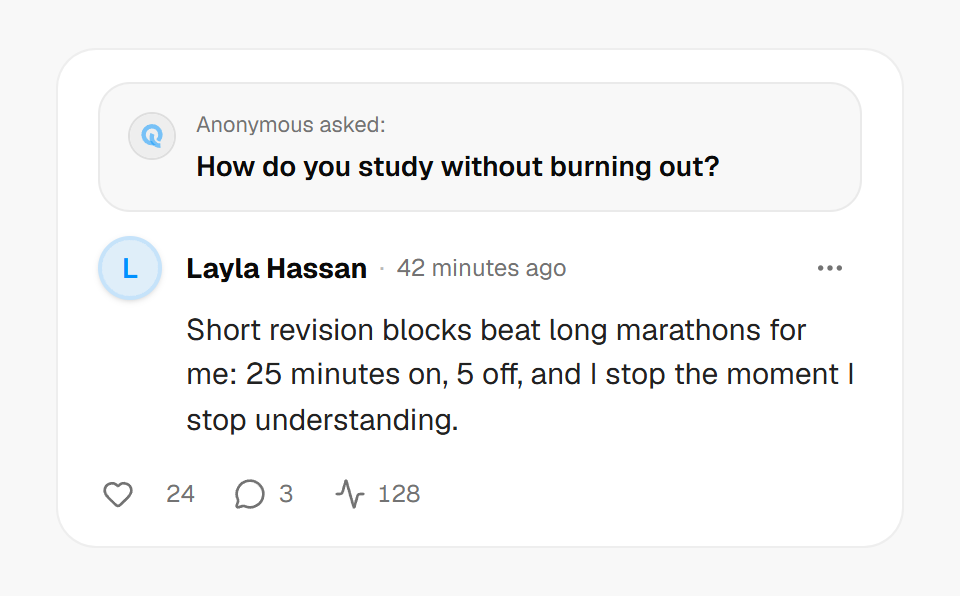 A short answer to a clear question makes the best Story image.
What makes a good Story image
- A short answer. Long text shrinks into something nobody can read on a phone. If your answer is long, summarise the strongest part in a new, shorter answer.
- A question with a hook. Funny, surprising or relatable questions travel better than neutral ones.
- One idea per image. Post several images in a row rather than cramming a thread into one.
- A clear call to action. Add a sticker or a line saying "scan or tap to ask me something".
Check before you post
The image shows exactly what the answer says. Before it goes to hundreds of people, look at it as a stranger would.
- Does the question mention someone's name or private details?
- Does your answer reveal where you live, study or work?
- Is the question from an anonymous sender who might be embarrassed by the exposure?
Anonymous senders are not named in the image, but the wording of a question can still point at a person. Skip the share if it could hurt someone. The same thinking sits behind how to answer anonymous questions without oversharing.
Where else to use it
The image works in a Snapchat Story, a WhatsApp status or a post. Pair it with your Ask link in your bio so new viewers have somewhere to go. If you are not sure where to put the link, read how to add an Ask me link to your Instagram bio. For more ideas on turning shared answers into new questions, see how to grow your profile on Qerios.
The short version
- Share as Story image creates a picture with the question, answer and a QR code.
- Short answers and hooky questions work best.
- Check names and private details before posting.
- Pair the image with a visible Ask link.