Private Accounts on Qerios: What Is Hidden, What Is Not
How private accounts work on Qerios: who sees your answers, replies and sketches, how follow requests behave, and what stays visible to everyone.
A private account is the strongest visibility control Qerios offers. It is also easy to misunderstand, because "private" can mean many things on different apps. This article explains exactly what a private Qerios account hides, what it leaves visible, and how to decide whether to use one.
What a private account hides
When your account is private, your answers, replies and sketches are visible only to you and to followers you have approved. Anyone else who opens your profile cannot read or browse that content. Your content also stays out of places where strangers would otherwise find it, such as public feeds and search-engine-facing pages for your sketches.
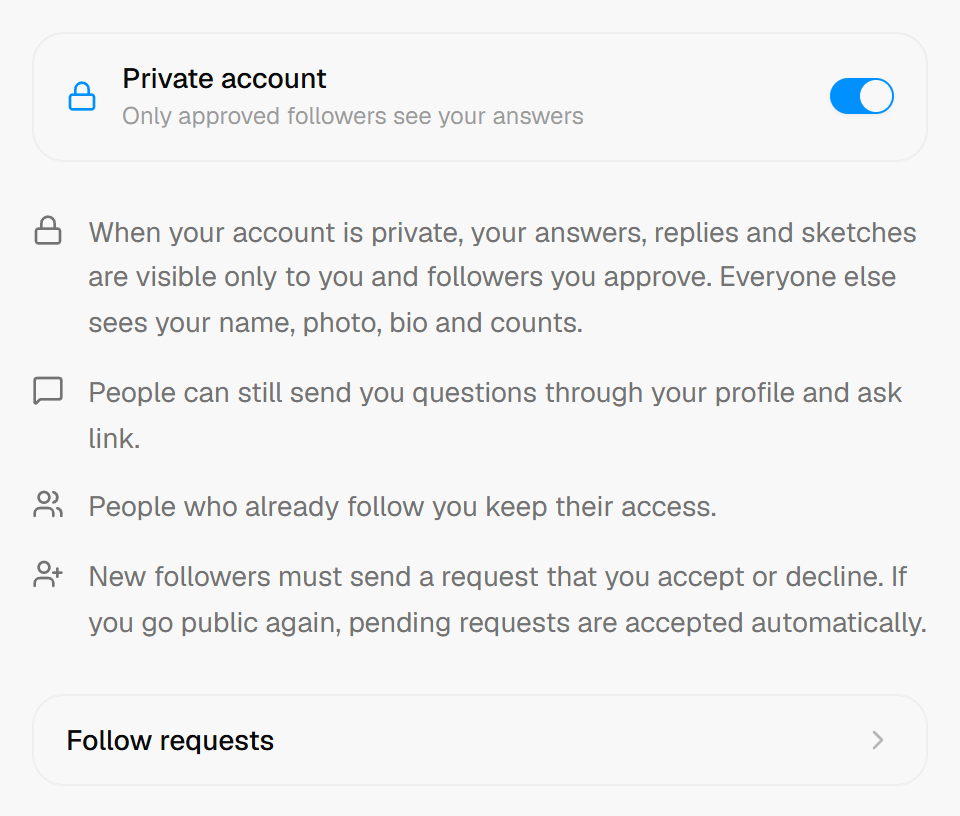 The Private account setting in Qerios.
What stays visible
Everyone can still see your name, photo, bio and the counts on your profile. That is why the advice about a safe username, avatar and bio still applies to private accounts: those fields are public. If you want to understand how to write them safely, see how to set up your Qerios profile.
Questions still reach you
Private does not mean closed. People can still send you questions through your Ask link, including anonymously, because the point of the link is to let people reach you. What changes is who can read your answers afterwards. If you want fewer incoming questions as well, the inbox controls let you disable questions from your profile or stop receiving blasts, which is a separate setting from privacy.
How follow requests work
On a private account, people who want to follow you send a request. You see it on the follow requests page and decide whether to accept or decline. Accepting gives that person access to your answers, replies and sketches. Declining or ignoring the request keeps them out. You can review who follows you over time, so approving someone is not a permanent decision you cannot revisit.
Mentions and notifications
If someone mentions you in an answer or reply, the mention itself goes only to people who can actually see it. On a private account that matters: a person without access should not be told about something they cannot open. The same logic protects you when you mention others.
Who should consider a private account
A private account suits you if you answer personal questions, if you are a teenager, or if your friends and family are the main audience. A public account suits creators and anyone who wants to be found. Many people start private and open up later once they know how they like to answer. The privacy settings checklist can help you review the rest of your settings, and the guide for parents, are anonymous question apps safe for teens, explains why private is a sensible default for younger users.
The short version
- Private means answers, replies and sketches are visible only to you and approved followers.
- Name, photo, bio and counts remain public.
- Questions can still be sent to you; control that separately in inbox settings.
- Follow requests let you approve each person.
- You can change the setting later.