How Qerios Groups Likes and Follows in Your Notifications
Why a hundred likes show up as one notification on Qerios, what is grouped, what is not, and how to tune the types of alerts you receive.
If your answer gets fifty likes, you do not receive fifty separate alerts. Qerios groups similar notifications so the list stays readable and your phone does not buzz constantly. This article explains how grouping works and how to get the balance of alerts that suits you.
What gets grouped
Likes and follows are grouped. Several people liking the same answer become one notification such as "Sara and 11 others liked your answer". The same applies to follows: a burst of new followers is summarised rather than listed as many separate rows. Each grouped notification shows a handful of recent people and keeps counting as more arrive, up to a sensible limit, so it stays useful instead of turning into a wall of names.
What stays separate
Things that need a personal response are not collapsed. A new question, a reply to your answer or a mention in an answer arrives as its own notification, because each one has a different author and a different thing to look at. Moderation notices and system messages also stay separate.
Why grouping matters
- Less noise. The notifications that need you do not get buried.
- Better battery and calm. Fewer pushes means fewer interruptions.
- Clearer popularity signals. A single line saying "40 people liked this" tells you more than 40 lines saying "someone liked this".
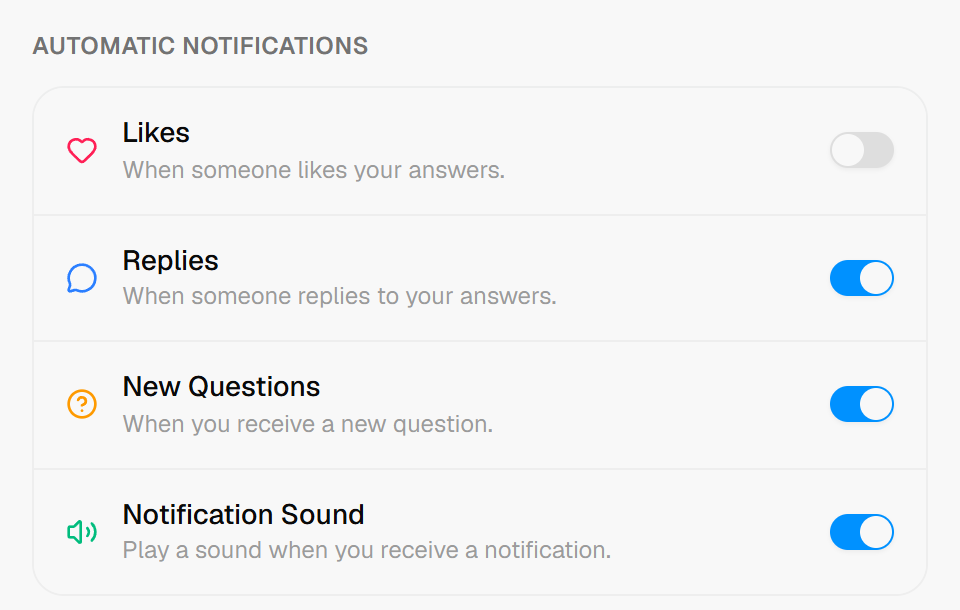 Notification categories can be switched on or off individually (likes are off here).
Tune what you receive
Notification settings let you choose categories, for example likes, replies and questions. If likes are the thing that distracts you, turn them off and keep replies and questions on. If you only want to hear about questions, do the opposite. Take control of your notifications walks through the options step by step.
Language and delivery
Notifications follow the language you use in the app, so Arabic speakers get Arabic text and English speakers get English. Push notifications on your phone also depend on your phone's own permission settings; if you are not receiving any, check that notifications for Qerios are allowed in your system settings.
Notifications and privacy
A notification should not expose something you cannot see. For example, a mention on a private account only reaches people who can view it. Private accounts on Qerios explains how access rules and alerts fit together.
The short version
- Likes and follows are grouped into single notifications.
- Questions, replies and mentions stay separate.
- You can switch categories on or off in settings.
- Check your phone's own permissions if pushes do not arrive.